|
|
|
Categories
|
|
Information
|
|
Featured Product
|
|
|
 |
|
|
There are currently no product reviews.
 ;
I found my Clarion VRX8370R in the Camper I bought and I wasn't able for month to understand it.
The Owner Manual was perfect and just what I was searching for.
Thank you.
Leonardo
;
Very good copy of Manual, clear and easy to print off, arrived very promptly and reasonably priced.
Thanks, I will use you again.
;
Zeer duidelijke afdrukken op A4-formaat , zeer uitgebreide handleiding . Pluspunt ,zeer snelle
respons van jullie , binnen de 24h . Top !!!
;
I AM HIGHLY IMPRESSED BY THE EASE OF USE OF THIS DOWNLOAD SERVICE. INSTRUCTIONS ARE CLEAR AND SIMPLE TO FOLLOW....EVEN BY TECHNOPHOBES SUCH AS MYSELF. THE EMAILS POINT YOU IN THE RIGHT DIRECTION...ITS SO EASY PEASY. THE DOWNLOAD CHOICE OF USER MANUALS IS EXTENSIVE AND I COULD NOT FIND A CHEAPER OR MORE EFFICIENT SERVICE ON THE INTERNET. I COULD NOT HAVE MADE A BETTER CHOICE OF INFORMATION PROVIDER. SHOULD I EVER NEED ANOTHER USER MANUAL, THEN THIS IS THE FIRST CHOICE SITE. COULD NOT BE BETTER PLEASED!!!!!!!...MANY THANXES FROM JIM BURNS
;
I was impressed with the quality of service (frequent e-mails to let you know the status of your order), and the speed at which the download became available. The manual was a life saver and was not easy to track down. Thank you for such an excellent service.
4 - Advanced Operations
4.1 Tempo (speed) control
2 Press the + and � keys to change the key. Display and change the key change either as a percentage of the original, or in semitone steps. Follow the steps below to select either percentage or semitone key change control. Note that the KEY indicator m will show a total of the value shown in this way, together with any changes made using the slider (when percentage mode is selected).
4.2.1
Controlling the key change as a percentage
1 Press the PRESET key. Change the tempo (playback speed) using the TEMPO slider a. Change the maximum (full down) and minimum (full up) speeds by either 0% (disabled), ±8%, ±16% or ±32%. 1 Change the maximum range affected by the TEMPO slider a with repeated presses of the TEMPO key Z (0%, ±8%, ±16% and ±32%). 2 Move the slider away from the center position in order to affect the tempo (speed) and pitch of the playback. The further away from the center you move the slider, the more you affect the playback tempo and pitch. If you select the 0% option , the TEMPO slider is disabled (moving it will have no effect). The TEMPO and
KEY parts of the display show � �.
2 Select 04 KEY (KEY) using the dial or numeric keys. 3 Press the ENTER key. 4 Select + using the dial. 5 Press the ENTER key.
NOTE
Press and hold the KEY key for more than 2 seconds to reset to 0%.
4.2.2
Controlling the key change in semitone steps
1 Press the PRESET key. 2 Select 04 KEY (KEY) using the dial or numeric keys. 3 Press the ENTER key. 4 Select # by using the dial. 5 Press the ENTER key.
4.1.1
Changing only tempo (speed)
Press the KEY ORIGINAL key Y to select the �original key� mode , you can then change the playback tempo without altering the key. The KEY part of the display shows � � when the original key mode is selected. Under these circumstances, when you move the TEMPO slider, you will affect the tempo without altering the original key (pitch).
4.3
Sampling
4.2
Key (pitch) control
You can change the key (pitch) without changing the playback tempo. 1 Make sure the original key mode is off (press the KEY ORIGINAL key Y if necessary). The CD-302 provides about 10 seconds of sampling time for each deck.
20 TASCAM CD-302
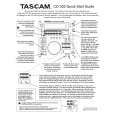 $4.99 CD-302 TEAC
Quick Start Quick start guide ( sometimes called quick guide ) contains most important information on how to use…
|
|
|
> |
|