|
|
|
Categories
|
|
Information
|
|
Featured Product
|
|
|
 |
|
|
There are currently no product reviews.
 ;
The manual was very helpfull, it answerdes all my questions, and i was surprized to find the original manual on this site! Big thumbs uP:)
 ;
helpful manual.good service.Quick response.will use again
;
Speedy confirmation to my order , with elaborate instructions .
Item Email , received immediately as desired by me.
A Pleasant & Satisfying Transaction.
;
I was searching for this manual at last i got it from this web
;
What can i say but i would have been lost without your support.
Thank You!
KP-43T70/46C70/48S70/ 48S72/53N74/53S70/61S70
RM-Y906
[RED REGISTRATION ADJUSTMENT]
<RED CENTER> 1. Change to VPNT mode and set VPNT 28 RON to �001�, 29 GON to �001� and 30 BON to �000� to show the green and red colors. 2. Change the VPNT mode to the PJE mode. 3. Press 3 key on the remote commander to shift the GRN mode to the RED mode. 4. Select RED CENT with the 1 and 4 keys on the remote commander. 5. Adjust the red crosshatch lines go straight vertically and horizontally and overlaps the green lines with the joystick on the remote commander. <RED SKEW> 1. Select RED SKEW with the 1 and 4 keys on the remote commander. 2. Adjust the red crosshatch lines go straight vertically and horizontally and overlaps the green lines with the joystick on the remote commander. <RED LINEARITY> 1. Select RED SIZE (vertically and horizontally) or RED LIN (vertically) with the 1 and 4 keys on the remote commander and adjust while tracking each other alternately. 2. Adjust the red crosshatch lines go straight vertically and horizontally and overlaps the green lines with the joystick on the remote commander. <RED KEY> 1. Select RED KEY with the 1 and 4 keys on the remote commander. 2. Adjust the red crosshatch lines go straight horizontally and overlaps the green lines with the joystick on the remote commander. <RED PINCUSHION> 1. Select RED PIN with the 1 and 4 keys on the remote commander. 2. Adjust the red crosshatch lines go straight horizontally and overlaps the green lines with the joystick on the remote commander. <FINE ADJUSTMENT> 1. Press 9 key on the remote commander to shift to the fine adjustment mode. The red marker (in the RED mode) appears on the center of the screen.
2. Use the 1 and 4 keys or the joystick on the remote commander, move the marker everywhere you want to adjust and adjust with the joystick on the remote commander.
[BLUE REGISTRATION ADJUSTMENT]
1. Change to VPNT mode and set VPNT 28 RON to �001�, 29 GON to �001� and 30 BON to �001� to show full color. 2. Change the VPNT mode to the PJE mode. 3. Press 3 key on the remote commander to shift the RED mode to the BLU mode. 4. Adjust BLU CENT, BLU SKEW, BLU SIZE, BLU LIN, BLU KEY and BLU PIN in the same procedure of the red registration adjustment.
[FINAL CHECK]
1. Store the new adjustment (offset) value on the remote control by pressing [MUTING] and [ENTER]. 2. Press the FLASH FOCUS button on the front panel. (The Offset value is now automatically stored.) 3. Check that no error message appears. If an error message appears, recheck.
� 45 �
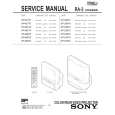 $4.99 KP61S70 SONY
Service Manual Complete service manual in digital format (PDF File). Service manuals usually contains circuit diagr…
|
|
|
> |
|