|
|
|
Categories
|
|
Information
|
|
Featured Product
|
|
|
 |
|
|
There are currently no product reviews.
 ;
El manual esta muy detallado, los numeros de partes y los esquemas de despiece son correctísimos y muy claros, tanto para los técnicos experimentados como para los novatos.
 ;
Ottima qualità grafica e completo nelle notizie. Costo abbastanza contenuto.
;
Great and quick support. The maual was exactly what I was looking for and my problem
solved. Many thanks.
;
Very good service Within one day i received a pdf of the users manual and electric circuits so I was able to measure the different voltages in the printed circuit and find out the fault Payment was also reliable and easy.Without the manual i could not have repaired.So thanks to "Search for a manual"
;
you are doing great job guys.....my father ask me to find out the schematics of Sony KV25R1D to sort out the problem ..(he was electrical technician, and excperianced with TV and simillar stuff). finally he found the cause and change all necessary parts....now he has got working old dog..and is very happy!!... thank you all.. NB..he also saved the repair cost.
1
2
3
4
FOR PRECAUTION OF REASSEMBLY AND DISASSEMBLY
A
LOCATIONS TO FIX DOUBLE-SIDED SELF-ADHESIVE TAPE
The grille is attached to the baffle using double-sided self-adhesive tape. To avoid damaging the grille, work with the speaker on top of a blanket or similar, face up. There are two slots in the lower part of the speaker. Insert a screwdriver(-) into each slot and push down detach the lower part. Turn the speaker over and insert a screwdriver(-) between the grille and the baffle. Taking care not to damage the baffle, push down on the screwdriver(-) to prize the baffle and grille apart. When reattaching the grille, use double-sided self-adhesive tape in the locations shown in the diagram and press the grille assy into place.
SEH1058 SMG1796
SEH1057
SEH1057
B
The grille is fixed using boss and double-sided self-adhesive tape (The tape is in the locations indicated in the diagram below). Do not use a dryer to heat the self-adhesive tape when removing the grille. The woofer is attached to the baffle by internal screws. To detach it, unfasten those screws. When attaching it, face its terminal downward. The tweeter is attached to the baffle by external screws. To detach it, unfasten those screws.
SEH1058
C
SUPER TWEETER
The Super Tweeter is fixed to the inside of the baffle. When removing the Super Tweeter, first remove the screws that hold the cabinet in place from the front of the baffle. Next, remove the packing material (SEC1755) from around the Super Tweeter cord and network assy connector, then detach the Super Tweeter cord from the network assy. Detach by pressing the Super Tweeter with a finger from the surface of the baffle. When reattaching the Super Tweeter, fix it to the baffle using adhesive (GYL-014). Next, attach the cover (SES1022), putting adhesive (GYL-014) around the outside edge of the cover. After connecting the Super Tweeter cord to the network assy, put packing material (SEC1755) around the connector.
Adhesive (GYL-014) around edge connection completely covered with adhesive Packing (SEC1755)
D
GRILLE
Slot
EXPLODED VIEWS
Gasket (SEB1281) (Stick to the surface of the Diaphragm Assy 20 (=Super Tweeter))
E
Adhesive (GYL-014) around edge (after putting Diaphragm Assy 20 (=Super Tweeter) into cabinet)
Screwdriver(-) Grille Packing (SEB1228) Double-sided self-adhesive tape Cover (SES1022) Diaphragm Assy 20 (SXE1099) (=Super Tweeter)
Down F Baffle
2
1 2
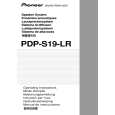
PDP-S19-LR
3 4
|
|
|
> |
|